


JW Library
4.878.99K Reviews
App Specs
- Version
- Varies with Device
- Updated On
- License
- Free
- Downloads
- 50,000,000+
- Developer
- Jehovah's Witnesses
- Categories
- Books & Reference
- Platform
- Android, iOS
Screenshots
 Analysis by AppCompare
I find that JW Library works best when I treat it as a reading and study space rather than just a place to look up a verse. Its collection brings Bible material, publications, and media together, which can be useful when I want to follow one subject across different formats. Jehovah’s Witnesses develops the app, and its focus is clear: it is built for people who want to read and study Bible-based content, not for browsing a broad range of religious traditions.
There is a practical connectivity question behind that simple idea. Some content may need to be obtained before it is ready to use, while searching, browsing, or accessing online material can depend on a working connection. I would plan around that distinction instead of assuming that every item is instantly available wherever I am. Once I know what I want to read, preparing the relevant material ahead of time makes the app easier to rely on in a commute, at a meeting, or somewhere with an unreliable signal.
Using the library in everyday situations
I use this section to think through the small, practical choices that make a reading session work: deciding what I want to find before opening the library, checking that the material is ready, and matching the task to the connection I have. That preparation matters most when I move between a quiet moment alone and a shared discussion, where a delay can interrupt everyone’s focus.
When the connection is part of the experience
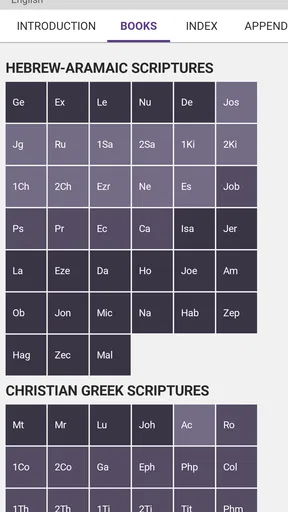
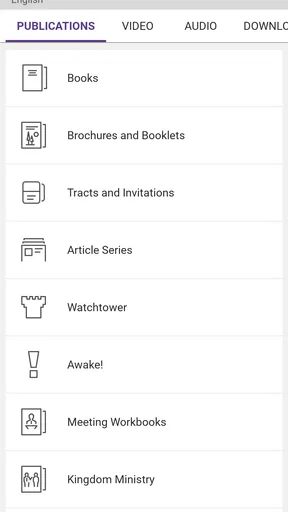
The first thing I would do on a stable connection is explore the material I expect to use, rather than wait until I need it. The library spans Bible text, publications, and media, so a search can lead me from a passage to related reading or a video. That breadth is helpful, but it also means that discovering something new and opening it are not always the same step: an item may need to load or be made available before I can use it smoothly.
That matters most when I am following a link between formats. I might start with a Bible passage, look for a publication on its theme, then decide to watch a related video. With a strong connection, that kind of exploration feels natural. With a weak one, it is better to narrow the plan: find the text first, save or download what I will need where available, and leave optional media for later. This small change avoids turning a quiet study session into a string of loading pauses.
The app’s international reach is another reason connectivity and preparation matter. Content is offered in over a thousand languages, which is valuable for multilingual households or readers who are more comfortable studying in a language other than the one used on their phone. I would check the language of the specific material I want before relying on it for a group discussion; having a language available in the app does not mean every publication or media item will be equally useful for every situation.
On a commute, at home, or with a group
A realistic routine might be to choose a short reading at breakfast, then return to it on the bus without trying to browse a large collection over mobile data. At home, I can use a better connection to find the passage and supporting material. Later, I can focus on the text during the commute rather than spending that time searching. This is a sensible workflow for anyone whose signal changes during the day, and it keeps the phone from becoming the main distraction.
Worth Reading Before You Choose

EA SPORTS FC Mobile 26 Is a Bigger Football Game, but It Takes Time

Flipboard Shows What News Apps Must Do Beyond the Feed

Switching to Android Auto Means Rethinking Your Driving Routine

Google Calendar Makes a Crowded Week Easier to Manage

Ludo King Makes the Most of the Minutes Between Plans

Baby Panda World Brings Quick Play to Modern Phones, but Its Game Library Feels Busy
For a family or study group, the app can serve as a shared reference point: people can open a passage, compare wording, or consult a publication together. I would still agree in advance on the language and material to use. Otherwise, one person may be looking at a different translation or trying to open a media item while everyone else is ready to continue. The app makes resources accessible, but a little coordination makes shared use much smoother.
It is also useful for brief moments rather than only long study sessions. I can look up a phrase while thinking about a topic, read a few paragraphs while waiting, and return to a longer piece later. The key is to make the search specific. A broad query can surface more reading than I have time for; a verse, subject, or phrase gives me a more manageable starting point and helps keep the session focused.
What to do when something does not load
If a page or item is slow to open, I would first check whether the connection is the issue before repeatedly tapping the same control. Moving to a steadier network, waiting for the item to finish loading, or choosing a text already available on the device can be a more useful recovery than restarting the whole session. When I am planning ahead, I also leave a little time to check that the material I expect to use is actually ready.
Search is a strong part of the experience, but it works best as a tool for narrowing the library, not as a guarantee that every result is immediately accessible. I would search for a distinctive phrase or a clear topic, then open the result I need and make sure it is usable before heading out. That extra check is especially worthwhile if the material is central to a talk, personal study, or group reading.
Because the app brings written and media content into one place, a temporary connection problem affects different activities in different ways. Reading something already available is a different task from discovering and loading a new video. I find it helpful to separate those activities in my mind: use connected time to explore and prepare, then use quieter or less connected time for reading that is ready to hand.
Making sensible choices about mobile data
When I am trying to conserve data, I would prioritize the text I plan to read and avoid opening media simply to see what it contains. Video and music are more connection-intensive kinds of content than a passage of text, so I would save that exploration for a trusted Wi-Fi connection where possible. This is not a reason to avoid the media section; it is just a practical way to keep a study routine predictable on a limited plan.
I also find it useful to think about storage as well as connectivity. Preparing material for later use can make a trip easier, but collecting every item “just in case” may be unnecessary. Choosing a few publications or pieces that match a current question keeps the library purposeful and reduces clutter on the device. A quick review of what I actually need is better than treating every available item as essential.
How it compares with other reading options
Compared with a general Bible reader, this app’s distinctive strength is the way Bible reading sits alongside publications and media from the same source. If I want a simple place to read a Bible and nothing else, a dedicated text-only app may feel lighter and more direct. If I want those connected study resources in one environment, this library is a more natural fit. It is not trying to be a neutral directory of competing interpretations, so readers seeking a wide survey of religious scholarship may prefer a broader reference tool.
The app is free, rated for Everyone, and has a 4.8 average from around 1.7 million ratings; it has been installed over 50 million times. Those figures suggest that many people find it useful, but they do not decide whether it suits my own reading habits. The more important question is whether its focused collection, language options, and combination of text and media match what I want from a reference app.
Who will get the most from it
I would recommend it to readers who regularly use Jehovah’s Witnesses’ publications, people who want Bible reading alongside related study material, and multilingual users who benefit from a broad range of languages. It can also suit someone who prefers to keep reading and media together instead of switching between several apps. The app is free, so it is easy to try without making a purchase decision first.
It may not be the right choice for someone who wants a Bible app centered on several denominations, extensive academic commentary, or a purely offline-first experience they do not have to prepare. A person with a tight mobile-data allowance should also be selective about media and new content. In those cases, a narrower reading app or a reference source designed for broader comparative research may be a better match.
For anyone deciding whether to install it, the practical questions are straightforward: can I find the material in the language I need, can I prepare it before leaving a reliable connection, and do I want this particular collection rather than a more general reference library? Answering those questions will tell me more than the app’s popularity alone. I would start with one familiar passage, try a search, and see whether the related material fits naturally into the way I study.
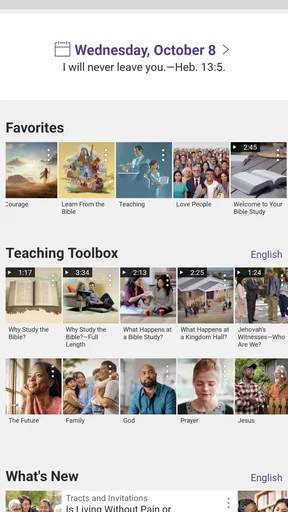
When you first download the app, you might notice its clean and user-friendly interface. The design is minimalistic, which is perfect because it doesn't distract you from the essence of what you're here for—spiritual growth. Navigation is pretty smooth, and even if you’re not tech-savvy, you’ll find it easy to get around.
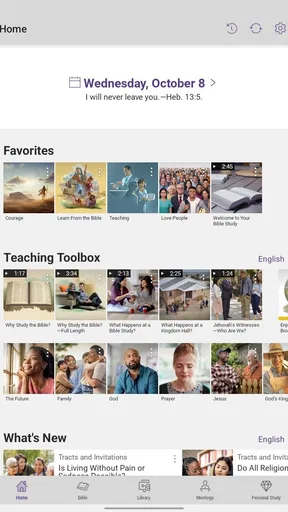
Opening the app, you’re greeted with a home screen that offers quick access to the Bible, publications, and media. It feels like having a library right in your pocket. And trust me, this isn’t just any library; it’s like having a personal guide to spiritual knowledge.
Features that Stand Out
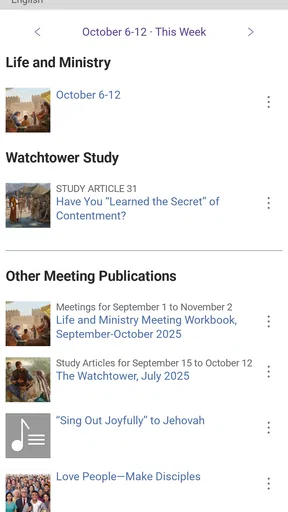
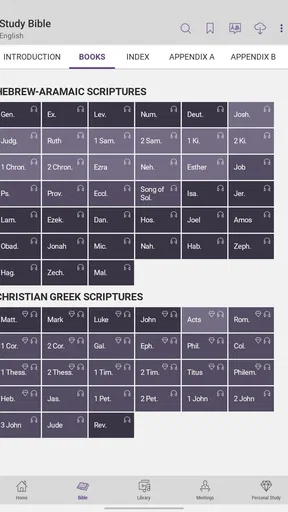
One of the coolest features is the ability to download multiple translations of the Bible. This is super handy if you’re someone who likes to compare texts to get a better understanding. You can also download publications, which means you can read offline—perfect for when you’re on the go or find yourself in a no-WiFi zone.
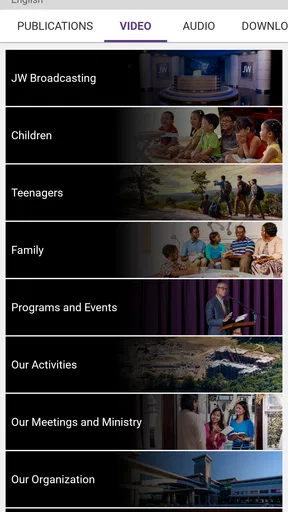
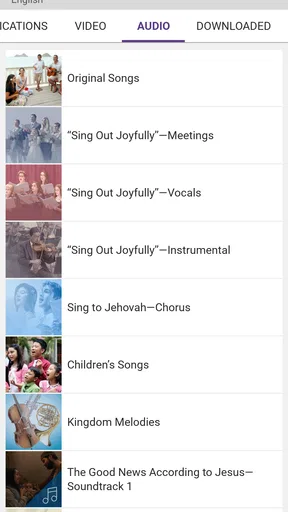
Another highlight is the media section. You’ll find videos, music, and even dramas that can add a different dimension to your learning. I found the videos particularly engaging, especially when you want a break from reading but still want to learn something new.
Personal Experience
As someone who enjoys exploring different spiritual texts, I found the app’s search functionality to be a real lifesaver. You can search for specific verses, topics, or even phrases, and the app pulls up the information almost instantly. It feels like a personalized spiritual assistant.
One day, I was curious about a specific topic and decided to use the search feature. Within seconds, I was reading multiple articles and insights that gave me a fresh perspective. It’s truly amazing how much you can learn with just a few taps.
Accessibility and Usability
Let’s talk about accessibility. The app is available in a multitude of languages, making it accessible to a global audience. The font size is adjustable, which means even if you have vision difficulties, you can still use the app with ease.
It’s also worth mentioning that the app doesn’t have any ads. Yep, you read that right. In a world where every app seems to bombard you with ads, this one offers a peaceful, uninterrupted experience.
Updating and Improvements
The developers behind the app are continuously updating it with new content and features. It’s reassuring to know that they’re committed to improving user experience based on feedback. During my time with the app, I noticed a couple of updates that enhanced the functionality, making it even more intuitive.
For instance, they’ve added new publications and updated translations, which keeps the content fresh and relevant. The app feels like a living library that grows with you.
Final Thoughts
So, is it worth your time? If you’re someone who values spiritual knowledge and wants an app that offers a comprehensive library of resources, then absolutely. It’s like having a spiritual mentor that’s available anytime, anywhere.
In conclusion, it isn’t just an app; it’s a companion for your spiritual journey. It’s easy to use, packed with valuable content, and completely ad-free. If you haven’t tried it yet, give it a go and see how it fits into your daily routine.
Pros
- Extensive library of religious texts
- Regular updates with new content
- User-friendly interface design
- Offline access to downloaded materials
- Available in multiple languages
Cons
- Limited to Jehovah’s Witnesses content
- No customization for text size
- Requires significant storage space
- Occasional performance lags
- No interactive features for engagement
FAQs for JW Library
What is JW Library and what features does it offer?
JW Library is a comprehensive app designed for Bible study, offering multiple translations of the Bible, as well as a variety of study tools. Users can access videos, publications, and audio content to enhance their understanding. The app also includes features like bookmarking, note-taking, and highlighting, making it a versatile tool for personal study and group discussions.
Is JW Library available for both Android and iOS devices?
Yes, JW Library is available on both Android and iOS platforms. Users can download it from the Google Play Store for Android devices or the Apple App Store for iOS devices. The app is designed to function smoothly across different devices, ensuring that users can access their study materials wherever they go.
Does JW Library require an internet connection to use all its features?
While an internet connection is required for downloading new content and updates, many features of JW Library are available offline. Once the desired publications and Bible translations are downloaded, users can access them without an internet connection, making it convenient for study anywhere, anytime.
Is JW Library free to download and use?
Yes, JW Library is completely free to download and use. There are no in-app purchases or subscriptions required. All the resources, including Bible translations, videos, and publications, are available at no cost. This makes it an accessible tool for anyone interested in Bible study.
How often is the content in JW Library updated?
The content in JW Library is updated regularly to include the latest publications and Bible translations. Users receive notifications about new updates and can download them as they become available. This ensures that users always have access to the most current materials for their study and personal growth.


